
Create Characters. Character creation Build Worlds. Animate Your Stories. World building One App. One Payment. Yours Forever.

Built by a creator who got tired of $30/month subscriptions. Klyqs Story runs on your computer, you connect directly to the AI and only pay for what you create. No middleman. No monthly fees.

 
Roll camera
Set the scene
Light the shot
Frame the moment
Build worlds
Direct everything
Export anywhere
One Time Price no limits
Own Your Tool and data

Let's do the math.

Find out what you're really paying for with monthly subscriptions
Platform  👀 Monthly Cost
LTX Studio $24/month
Higgsfield $30/month
Artlist AI $30/month
Runway $35/month
Freepik $12/month

That's over $1,500/year — and you still don't own anything.

Cancel your subscription? It's all gone.
Get Klyqs Stories $59

Everything You Need to Bring Your Ideas to Life

One app. Six powerful tools. From first idea to final animation without switching tabs or learning complex software.

Heading

Ideation

Brainstorm

The place where you build everything. Generate shots. Adjust characters. Shape environments. Try something, change it, try again. This is your space to experiment freely until the vision is exactly right.

See How It Works
Heading

Character Design

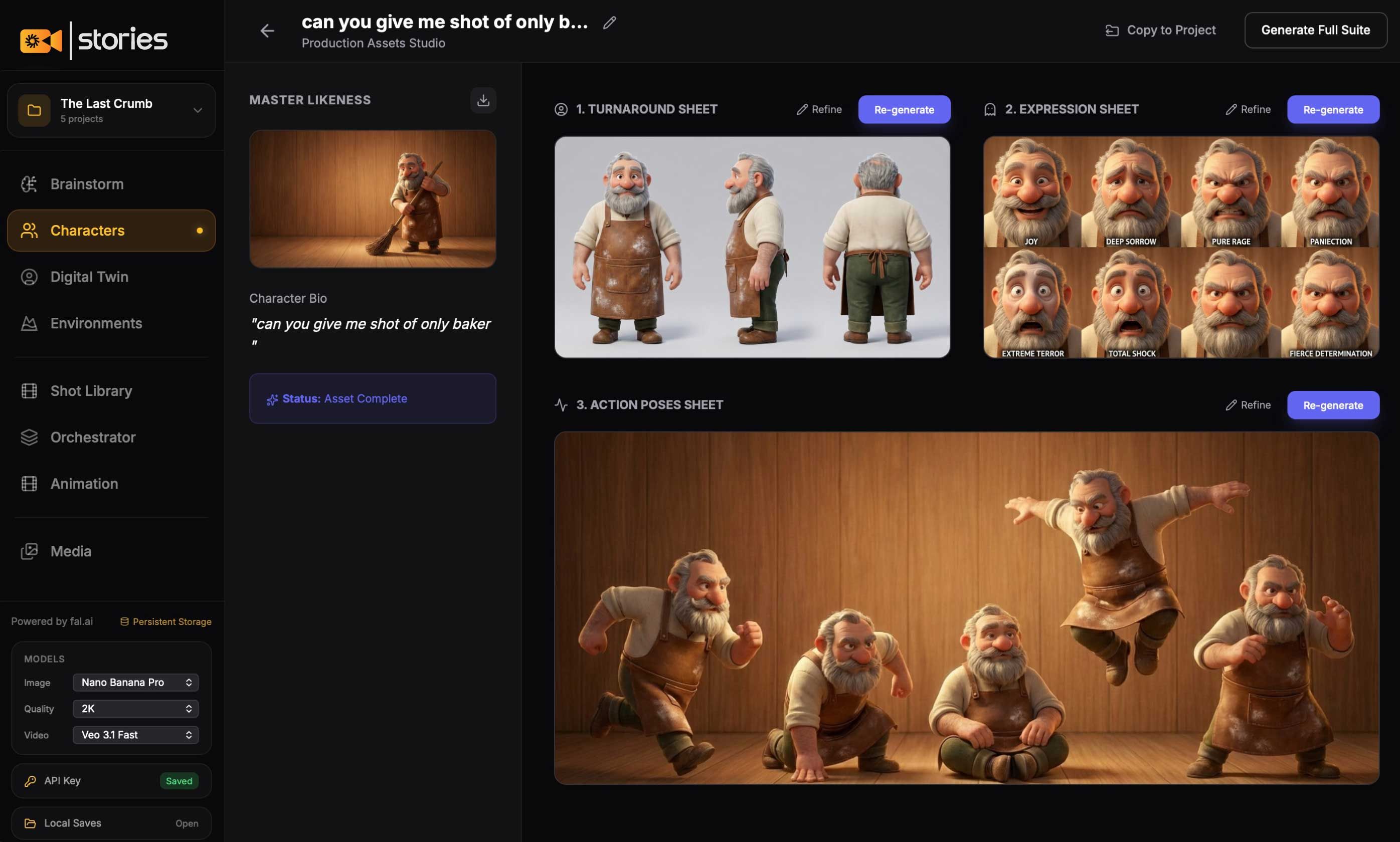
Characters

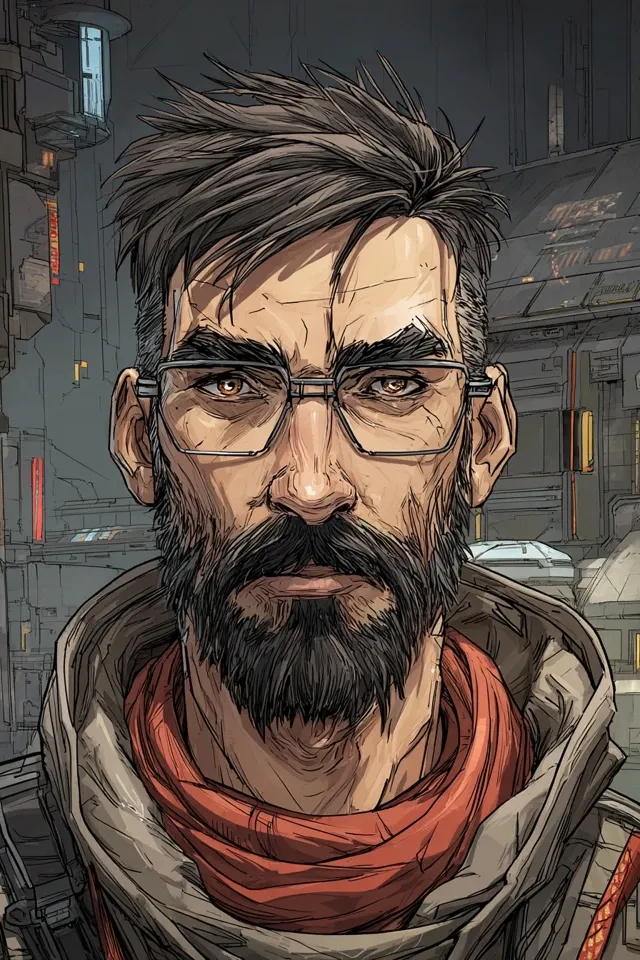
Build your characters here. Turnarounds, expressions, action sheets everything you need. Save them, then tag them in Brainstorm whenever you want them in a scene. One character, endless shots, always consistent.

See How It Works
Heading

Real-to-AI

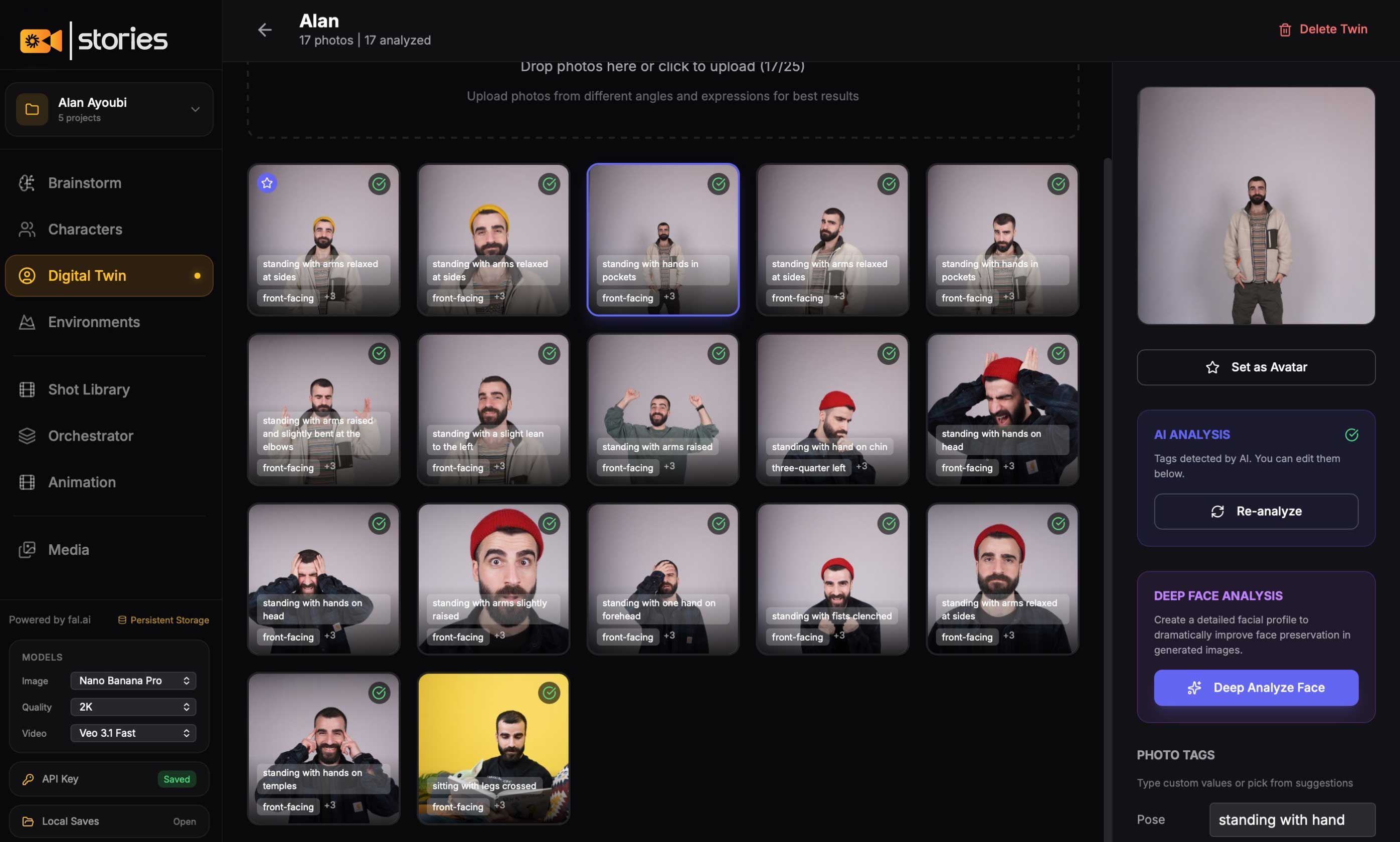
Digital Twin

Turn yourself or anyone into an AI-ready character. Upload photos with different expressions and angles. Save your twin to the library, then tag them into any scene. Create lifelike videos featuring real people, without ever picking up a camera.

See How It Works
Heading

World Building

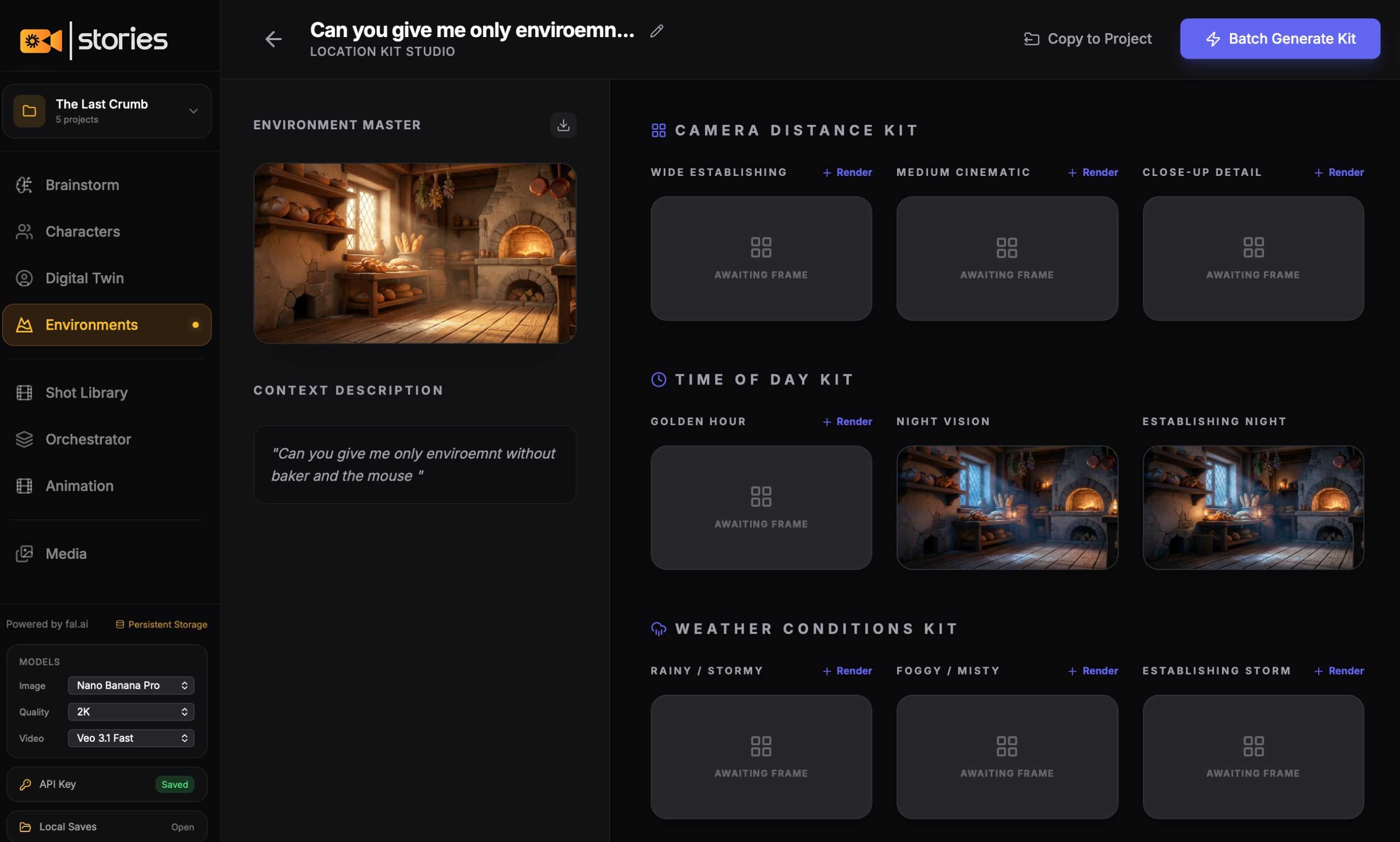
Environments

Design reusable locations for any scene. A cozy studio. A moody office. A sci-fi corridor. Build your world once, drop your characters in anytime.

See How It Works
Heading

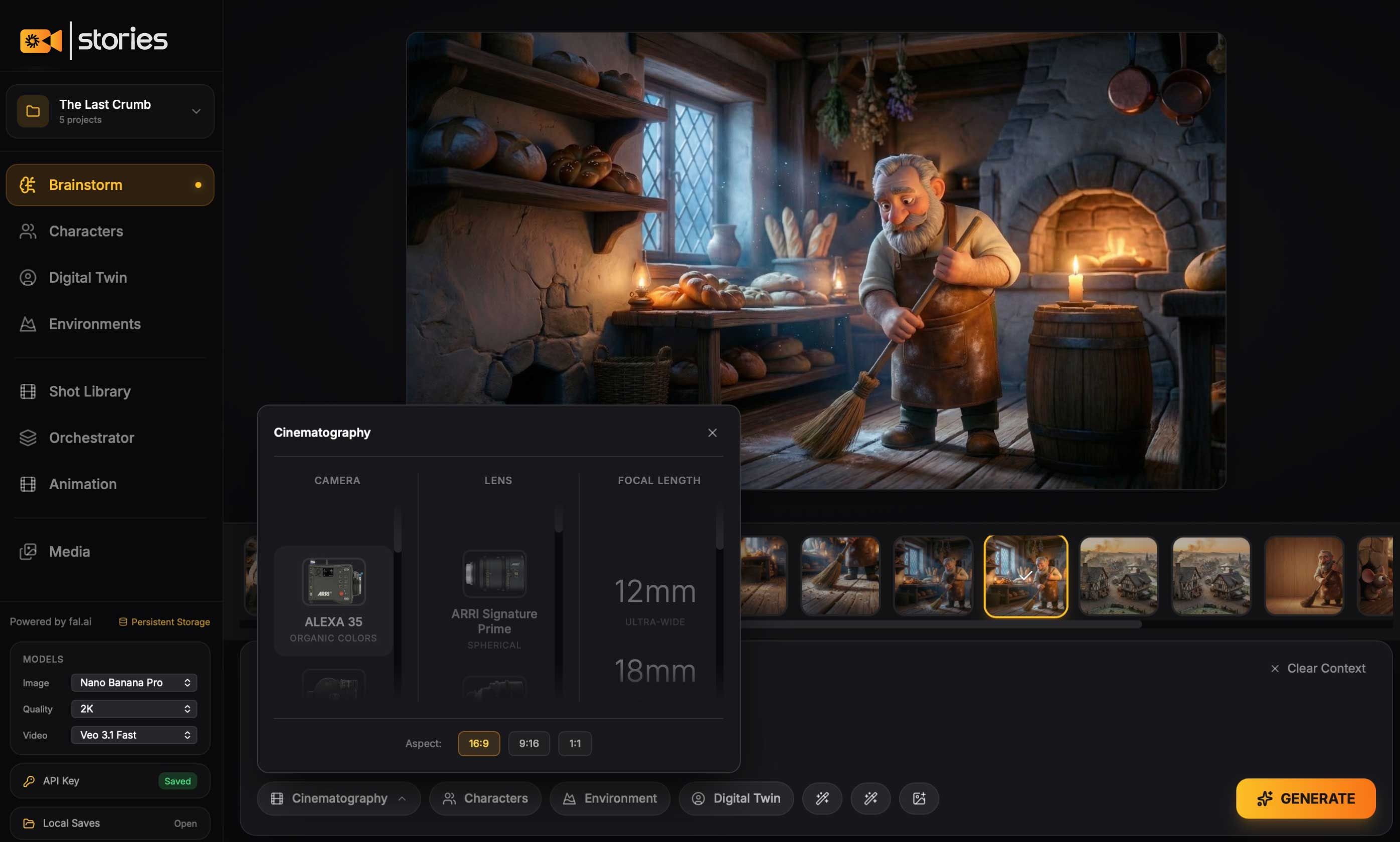
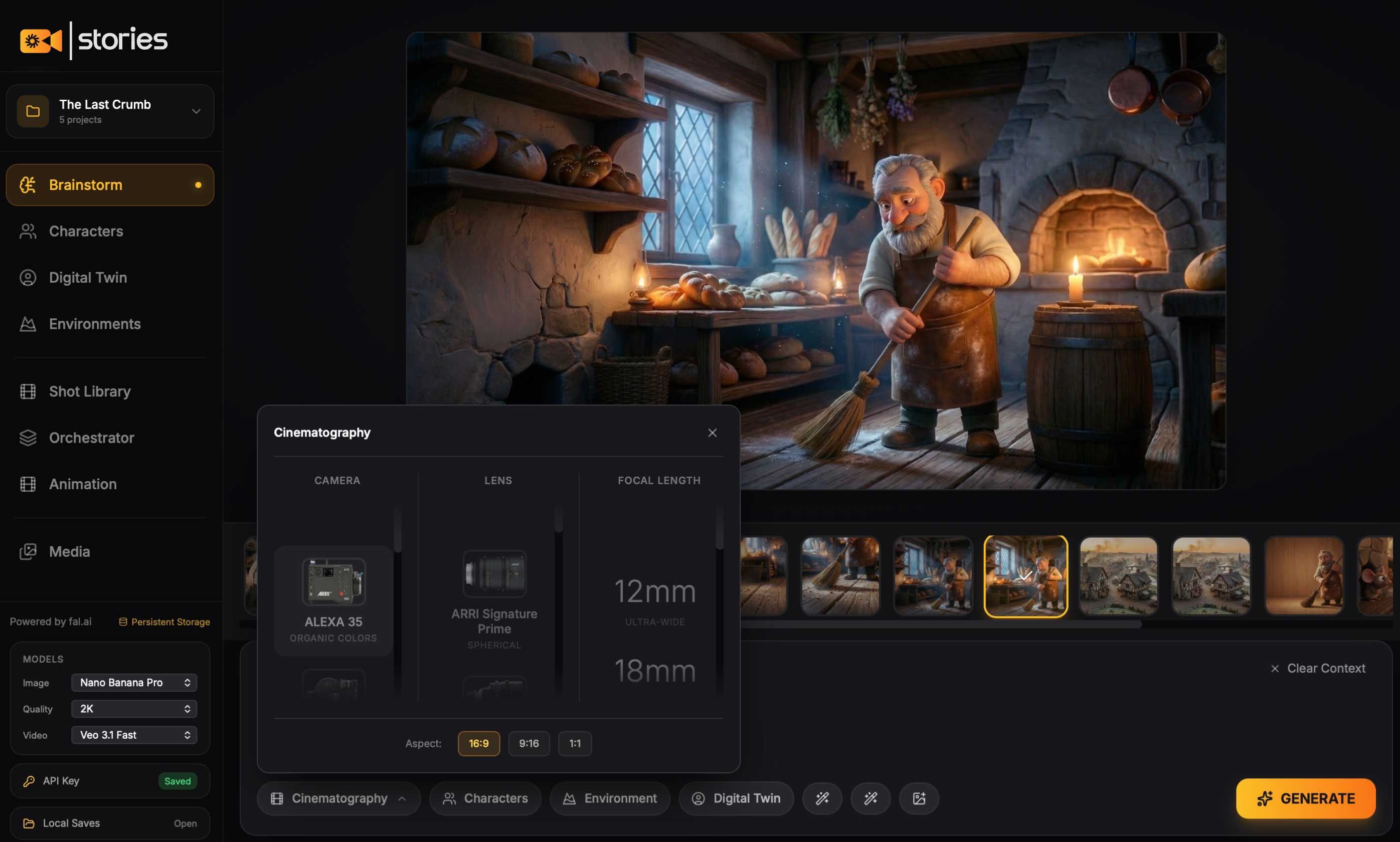
Cinematography

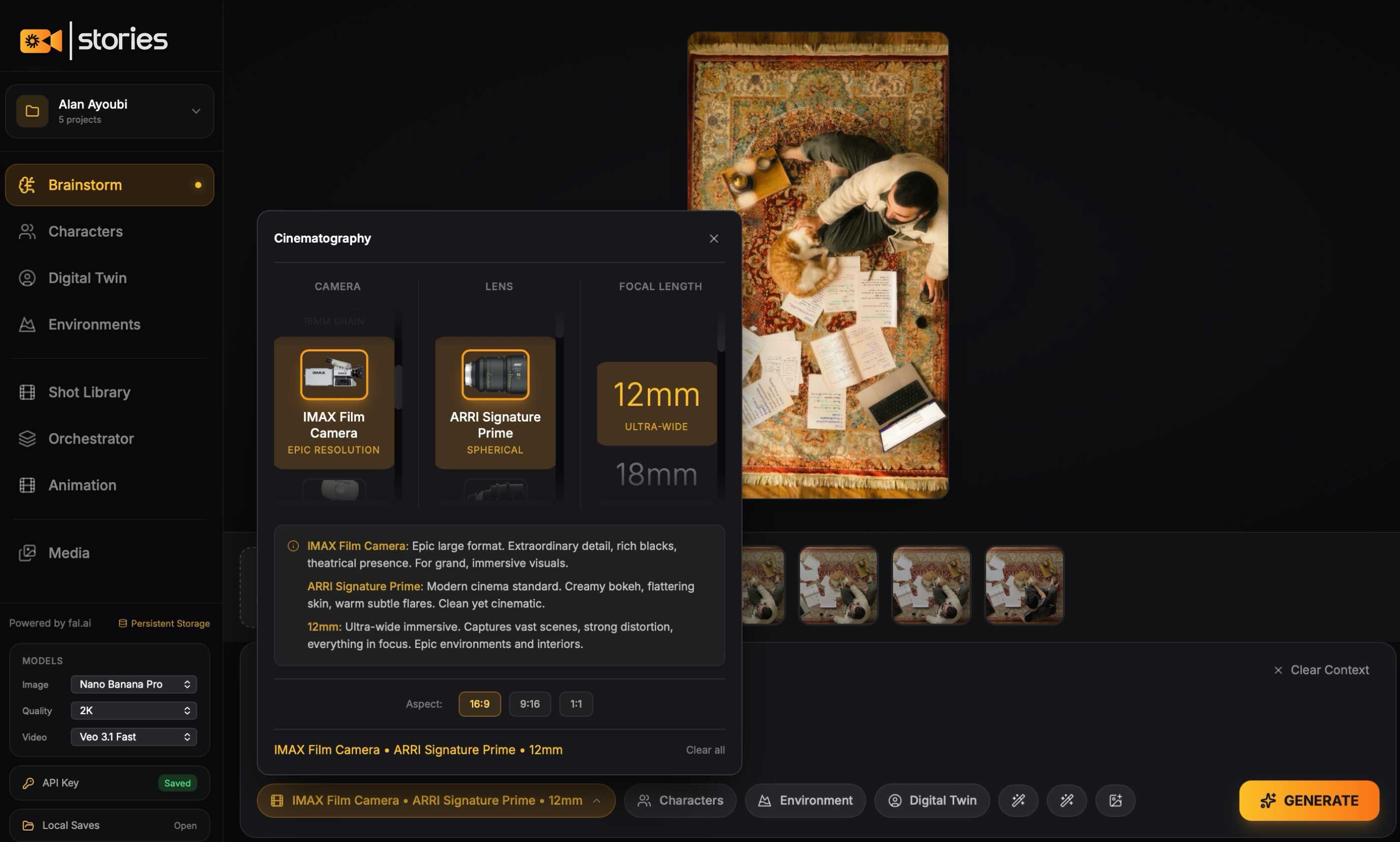
Cinematography Presets

Pick from real-world cameras (ALEXA 35, RED) and lenses (ARRI Signature Prime, Cooke S4). Choose your focal length 12mm ultra-wide to 85mm portrait. Don't know what any of that means? We explain each one: what it looks like, when to use it, and why directors choose it. Professional results without the film degree.

See How It Works
Heading

Production

Orchestrator

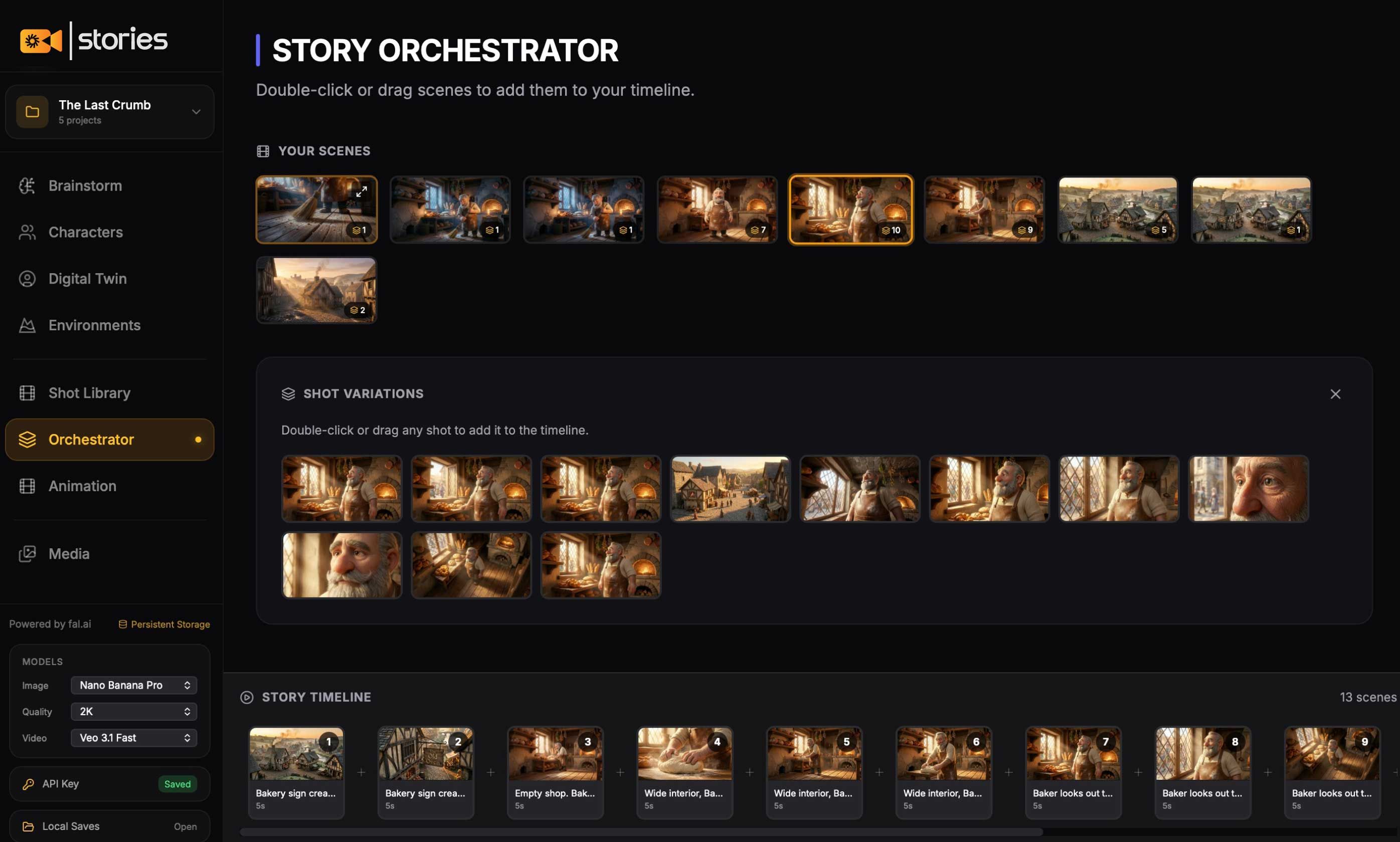
This is where your story comes together. Pull shots from your library. Drag them onto the timeline. Arrange scenes in order. See your entire film laid out then move to Animation when you're ready to bring it to life.

See How It Works
Heading

Bring It to Life

Animation Studio

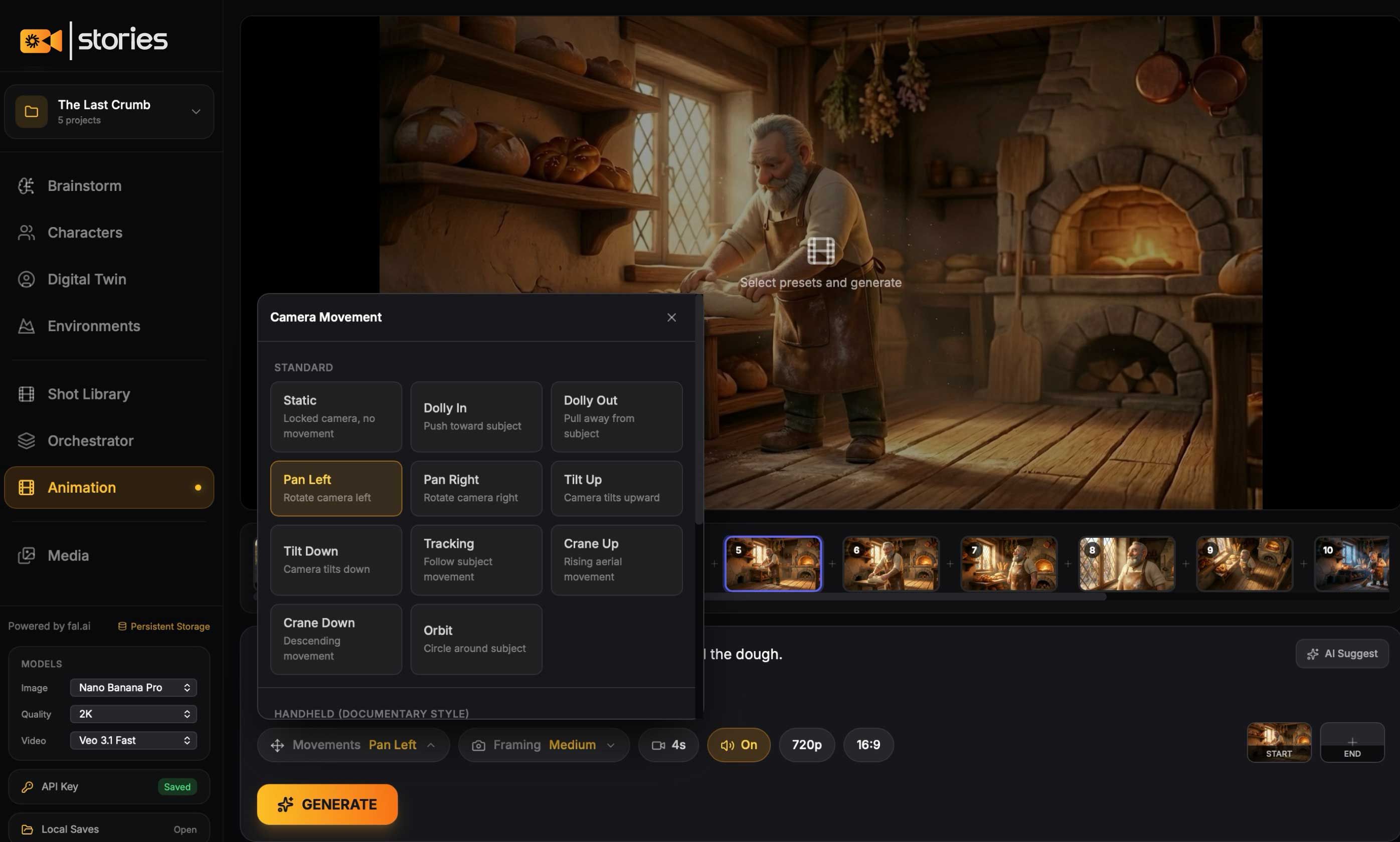
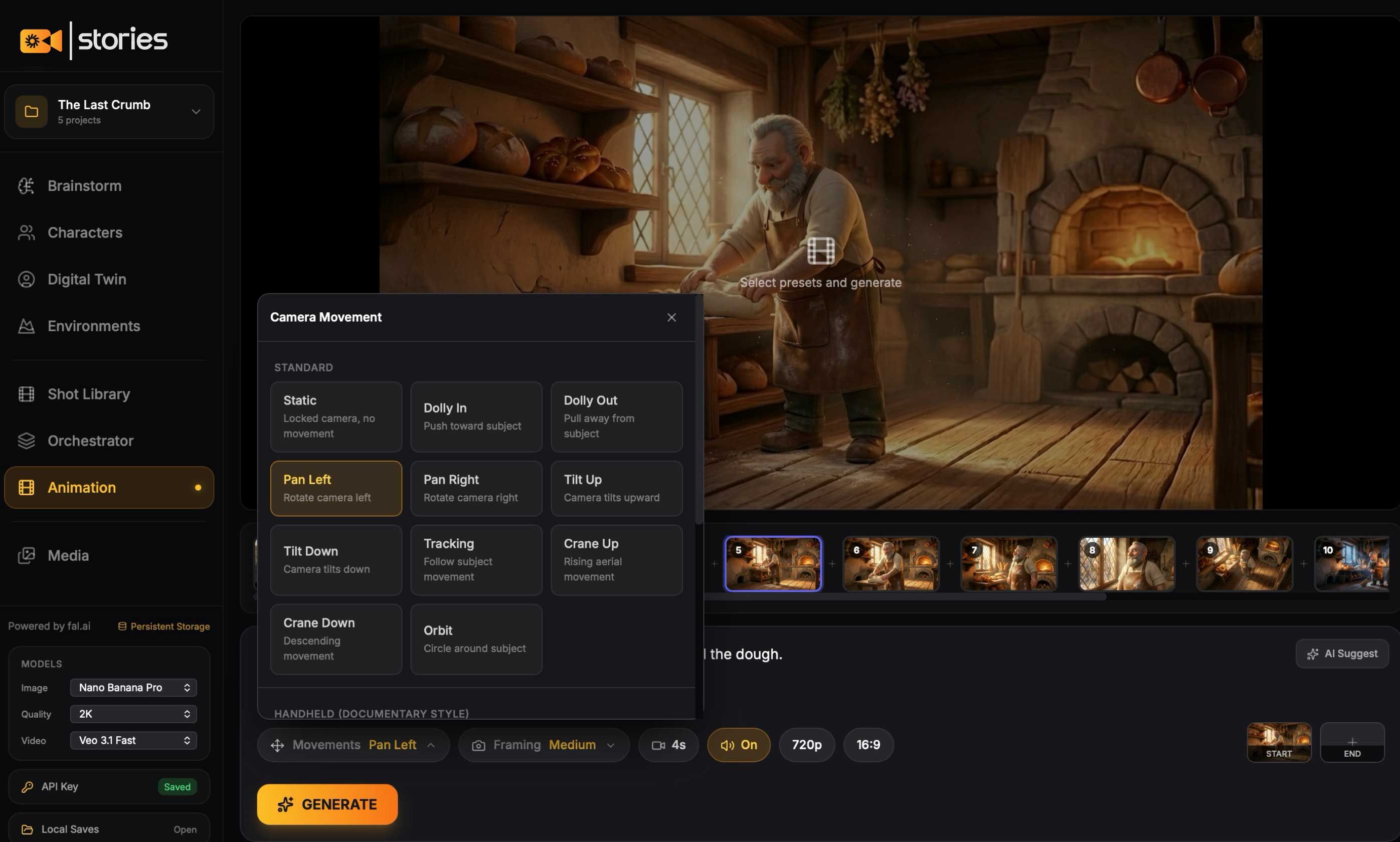
Every setting is a preset. Camera movement? Dolly in, pan left, static one click. Framing? Medium, close-up, wide already configured. Aspect ratio? 16:9, 9:16, 1:1 pick and go. No sliders to guess. No parameters to Google. Just choose the look you want and hit generate

Everything You Need to Bring Your Ideas to Life

One app. Six powerful tools. From first idea to final animation without switching tabs or learning complex software.

Ideation

Brainstorm

The place where you build everything. Generate shots. Adjust characters. Shape environments. Try something, change it, try again. This is your space to experiment freely until the vision is exactly right.

See How It Works
Heading
Heading

Character Design

Characters

Build your characters here. Turnarounds, expressions, action sheets everything you need. Save them, then tag them in Brainstorm whenever you want them in a scene. One character, endless shots, always consistent.

See How It Works

Real-to-AI

Digital Twin

Turn yourself or anyone into an AI-ready character. Upload photos with different expressions and angles. Save your twin to the library, then tag them into any scene. Create lifelike videos featuring real people, without ever picking up a camera.

See How It Works
Heading
Heading

World Building

Environments

Design reusable locations for any scene. A cozy studio. A moody office. A sci-fi corridor. Build your world once, drop your characters in anytime.

See How It Works

Cinematography

Cinematography Presets

Pick from real-world cameras (ALEXA 35, RED) and lenses (ARRI Signature Prime, Cooke S4). Choose your focal length 12mm ultra-wide to 85mm portrait. Don't know what any of that means? We explain each one: what it looks like, when to use it, and why directors choose it. Professional results without the film degree.

See How It Works
Heading
Heading

Production

Orchestrator

This is where your story comes together. Pull shots from your library. Drag them onto the timeline. Arrange scenes in order. See your entire film laid out then move to Animation when you're ready to bring it to life.

See How It Works

Bring It to Life

Animation Studio

Every setting is a preset. Camera movement? Dolly in, pan left, static one click. Framing? Medium, close-up, wide already configured. Aspect ratio? 16:9, 9:16, 1:1 pick and go. No sliders to guess. No parameters to Google. Just choose the look you want and hit generate

Heading

HOW IT WORKS

From Idea to Animated Film in Three Steps

Step 1
Create Your Assets

Create Your Assets

Design your characters and environments. Use presets or start from scratch. Everything saves to your computer no cloud, no account.

Step 2
Build Your Shots

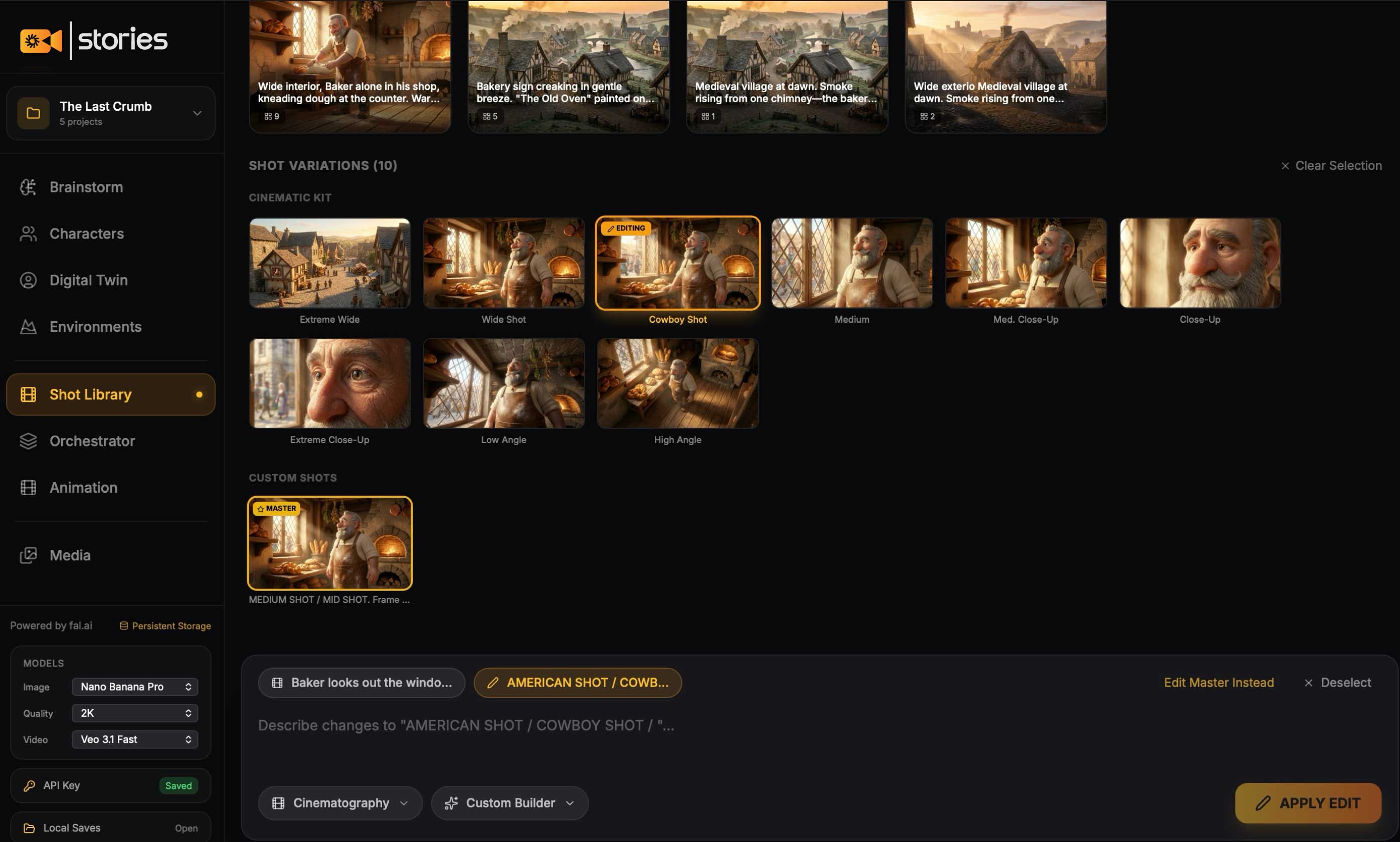
Build Your Shots

Combine characters and environments. Pick your camera angle, lens, and framing. The cinematography panel makes you look like you know what you're doing (even if you don't).

Step 3
Animate and Export

Animate and Export

Send shots to the timeline. Choose your animation style and camera movement. Generate with the best AI video models available. Download and use anywhere.

WHY KLYQS IS DIFFERENT

The Old Way vs. Klyqs Story

The Old Way

Monthly subscriptions that add up

Cloud-dependent they hold your work

They own your data and creations

Limited Models

Need film knowledge to get good results

Juggle 5 subscriptions, 5 logins, 5 bills

Marked-up AI pricing you pay 3x for the same models

Marketing that says one thing, terms that say another

VS

Klyqs Stories

Pay once, own forever

Runs 100% on your computer

You own everything

Only top models

Cinematography presets with plain-English explanations

One app. One payment. Done.

You pay what for what you use, direct source pricing.

Exactly what you see. No surprises.

You Connect Directly to the AI No Middleman

Instead of paying us monthly, you create a free account with Fal.ai (the AI provider) and paste your connection key into Klyqs Story. Takes 2 minutes. We include a step-by-step guide.

What this means for you:

You control the cost.

Pay only for what you generate usually pennies per image, a few cents per video clip

No monthly fee to us.

You bought the software. It's yours.

No limits

Generate as much as you want. It's between you and the AI provider.

Best models, always.

When new models drop (and they drop fast), we add them. You get access immediately.

100% Local Everything stays on your machine. No account. No cloud. No one sees your work but you

Models Included: All the best image and video models, Nano Banana Pro, Flux, Veo 3, Kling, Wan, and more. We add new (good) models as they drop.

Local 100% . Local 100% . Local 100% . Local 100% . Local 100% . Local 100% .

BuiltforCreativesWhoHaveSomethingtoSay

For You

Klyqs Stories is for you if:

  • You have stories, ideas, or content in your head that you can't get out
  • You're tired of subscription tools that drain your wallet every month
  • You want professional-looking results without learning complex software
  • You care about owning your work and keeping it on your own computer
  • You're a content creator, filmmaker, designer, writer, or visual thinker
  • You want one tool instead of five browser tabs
Not for You

Klyqs Stories is NOT for you if:

  • You want to mass-produce AI slop for spam
  • You're looking for a free tool (this costs $59)
  • You need real-time collaboration with a team (this is a personal studio)

 I Built the Tool I Wished Existed

I Built the Tool I Wished Existed

Alan Ayoubi, Creative Entrepreneur

I'm a designer and content creator. I spent years paying for subscriptions that added up to thousands of dollars — and I still didn't own my tools.

So I built Klyqs Story for myself. Every feature exists because I needed it. The cinematography presets? I added those because I'm not a filmmaker and I needed guidance. The local storage? Because I got tired of cloud services holding my work hostage.

Now I'm sharing it with you.

Alan, Klyqs

Regular updates

One Price. No Subscriptions. Ever.

I know it, we all know it subscriptions are not fun

Life Time Acces

Standard

Works on 1 Device + 1 Year Free Updates

$ 119 $ 59 /mo
  • Full desktop application (Mac & Windows)
  • One Device
  • One Year Free Updates
  • All current features
  • All current AI models (Veo 3, Kling, Wan, Flux, and more)
  • Available for 3 days each week
  • 1 year of updates and new models
  • Step-by-step guide for connecting to AI
  • Lifetime access to your version
  • No account required
  • You own everything you create

After 1-2 years : Keep using your version forever it's yours. Want new features and models? Renew for another year at a discounted rate.

Instant download. Works on Mac and Windows. 30-day money-back guarantee.

Money Back Guarantee . money back........

FAQs

Got questions? I've got answers.

A Mac or Windows computer, and a Fal.ai account (free to create). We include a 2-minute setup guide that walks you through everything.
You pay Fal.ai directly based on what you generate. Typical costs: a few cents per image, 10-30 cents per video clip depending on length and model. Most creators spend $5-20/month on heavy usage far less than any subscription tool.
Your software keeps working forever. You just won't get new features or models until you renew. No pressure renew when you see something you want.
Yes. What you create is yours. Check Fal.ai's terms for AI-generated content usage (standard stuff). You fully own the work you create.
Completely. Everything is stored on your computer. We don't have accounts, we don't have servers, we don't see your work. It's yours.
Perfect that's who this is for. If you can install an app and follow a 2-minute guide, you can use Klyqs Stories. The cinematography settings even explain what each camera and lens does in plain English. Our support is always here incase you need it alanayoubi@92learns.com
Currently: Flux and Nano Banana Pro for images. Veo 3, Kling, and Wan for video. We add new models as they become available through Fal.ai. So we make sure we always have the latest models and we put the most requested models as well.
Yes. 14-day money-back guarantee, no questions asked.
Short Films Music Videos YouTube Content Social Reels Brand Stories Trailers Ads & Commercials Product Demos Explainer Videos Course Content
Section icon

Stop Renting. Start Creating.

You have stories to tell. Ideas to bring to life. Content to create. You don't need another $30/month subscription. You need a tool that works for you and stays yours.
Short Films Music Videos YouTube Content Social Reels Brand Stories Trailers Ads & Commercials Product Demos Explainer Videos Course Content
Get Klyqs Stories $59